How to Create a YouTube Content Strategy to Grow Your Channel and Audience

Tom
Image by freepik, via Freepik.

YouTube remains one of the most influential and widely used platforms for creators and brands alike. Whether it’s through livestreams, tutorials, entertainment, or music, people rely on it daily. With such massive potential, a solid YouTube content strategy is essential for achieving growth and standing out in the digital space.

As YouTube’s audience continues to grow, it opens even more opportunities for creators to boost engagement, advertise effectively, and build a loyal audience. Successfully navigating this vast platform requires a strong plan that enables you to reach users who’ve fully embraced digital media and establish real influence in your niche. That’s what we’ll explore in this post.


Tips for building a successful YouTube content strategy

A successful YouTube content strategy is built on clarity, planning, and consistency. First, you need to consider the long-term vision for your channel and how you’ll achieve your goals. Here are key tips for developing your strategy:

  • Know your audience: define who you’re creating for, whether it’s gamers, fitness enthusiasts, or music lovers. Tailor your content to align with their preferences, tone, and interests.
  • Invest in video and audio quality: clear visuals and sound can significantly improve your videos. While you don’t need high-end equipment initially, upgrading your gear as your channel grows will enhance the viewing experience.
  • Stay consistent: consistency is crucial for building trust. Develop a regular posting schedule, whether it’s with Shorts, long-form content, or live streams.
  • Experiment with formats: diversify your content by using Shorts, long-form videos, or live streams to keep your audience engaged and attract a wider variety of viewers.
  • Partner with others: collaborations help expand your reach, grow your audience, and introduce your content to new audiences.
  • Focus on YouTube SEO: optimize your video titles, descriptions, tags, and use strong keywords to ensure your content gets discovered more easily.
  • Make your content accessible: add captions to support viewers watching without sound and improve accessibility for everyone.
  • Create eye-catching thumbnails: design visuals that spark curiosity and encourage clicks, but avoid clickbait.
  • Promote across platforms: expand your reach by sharing your videos on other social media channels like Instagram, Facebook, and Twitter.

By following these strategies, you’ll build a YouTube channel that grows purposefully and attracts a loyal audience over time. A well-executed strategy is essential for long-term success.


How JubJub supports your YouTube content strategy

Executing a content strategy is where creators often struggle, and that’s where JubJub can help. JubJub is designed to streamline your workflow and boost efficiency so you can focus on creating. Here’s how JubJub enhances your YouTube strategy:

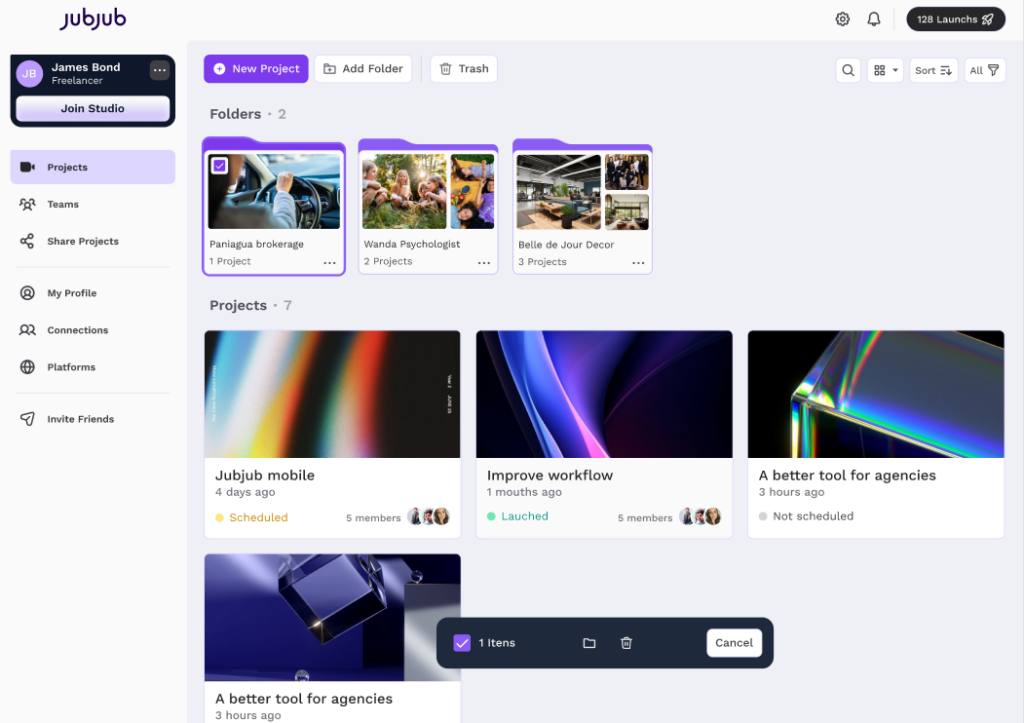
  • Centralized organization: manage and organize your media assets in one place, making it easier to plan and release content.
  • Consistency: build and maintain a consistent publishing schedule with ease, whether you’re posting Shorts or long-form videos.
  • Time-saving features: add thumbnails, titles, metadata, and more. You can even use JubJub’s AI-powered tool to generate video titles, descriptions, and hashtags, saving you time.
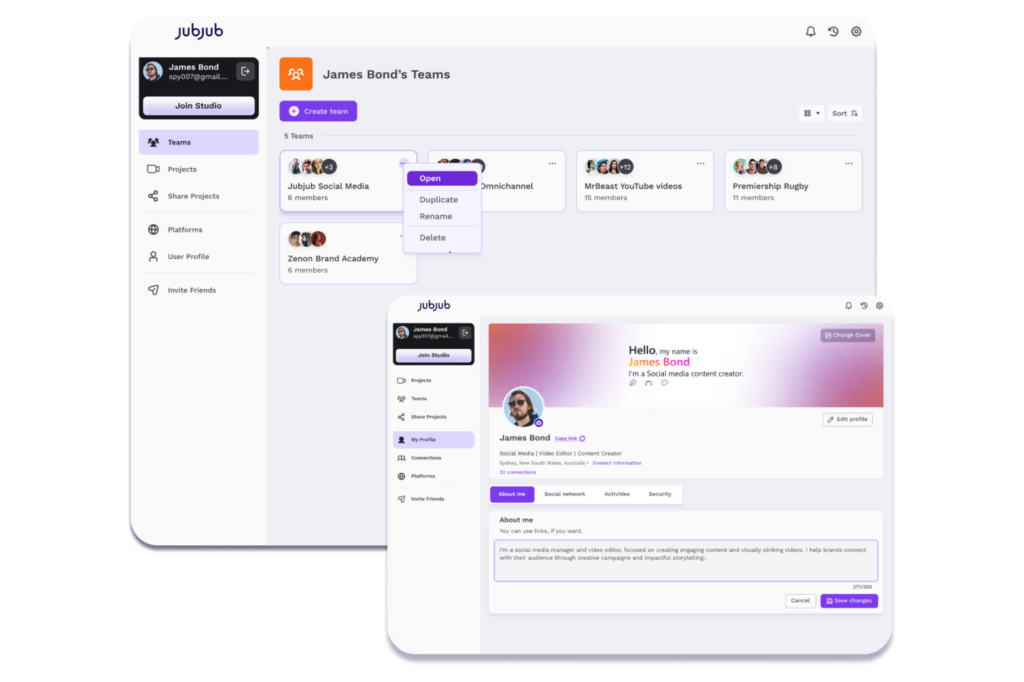
  • Effortless collaboration: collaborate smoothly with your creative team or clients, and ensure your content aligns with your goals.
  • Cross-platform distribution: schedule and publish videos across multiple platforms to expand your reach.

Get started with JubJub today and simplify how you grow your YouTube channel with consistency, efficiency, and professionalism.


Frequently asked questions (FAQ) about YouTube content strategy

What is the best strategy for YouTube?

An effective strategy combines consistency, audience understanding, and search optimization. Posting regularly, delivering valuable content, and applying sound SEO practices are key factors.

How to make successful YouTube content?

Successful content begins with a clear understanding of your audience. Invest in high-quality visuals and sound, authentic content, and ensure your videos fulfills what was promised in the title.

What type of content works best on YouTube?

Educational, entertaining, and inspiring videos tend to perform best. Tutorials, vlogs, product reviews, and Shorts are highly effective, especially when they address real needs.

What is a YouTube content strategy?

It’s a structured plan that defines your goals, target audience, posting schedule, content formats, publishing frequency, and promotional tactics. It keeps your channel focused and helps drive growth.

What is SEO in YouTube?

YouTube SEO involves optimizing your titles, descriptions, and tags with the right keywords. These practices increase visibility in search results and platform recommendations, helping your content reach a wider audience.


Why Creators Need a Social Media Scheduler

Tom
Image by freepik, via Freepik.

Managing social media is a strategic part of your brand’s growth. A consistent content schedule not only boosts engagement but also helps you achieve measurable results over time.

If you’ve ever felt like there aren’t enough hours in the day to get everything done, you’re not alone. Juggling multiple client accounts while keeping your own profile active can be overwhelming. This is where a social media scheduler becomes essential for your workflow.


How a social media scheduler supports your strategy

Once you’ve planned your content, with dates, times, and posts mapped out, the next step is execution. Relying on memory or manual uploads can leave gaps in your strategy, especially when you’re offline or caught up in other tasks. A social media scheduler allows you to:

  • Plan and publish content in advance;
  • Maintain a consistent presence;
  • Boost engagement with your audience;
  • Focus on creating valuable content.

Still unsure? Let’s break down the main benefits of using a social media scheduling tool.


The benefits of scheduling your content

A social media scheduler isn’t just a convenience, it’s also a strategic tool that helps you stay ahead of the game. With improved organization and planning, your content performs better, and your workflow becomes much smoother.

Save time

Batch-creating and scheduling your posts in one go frees up time during the week for strategic tasks, content creation, and client management. You no longer have to worry about missing a post or scrambling for ideas at the last minute.

Stay consistent

You don’t need to post every day, but maintaining regular, high-quality updates helps keep your audience engaged and increases your visibility. A social media scheduler ensures you’re always present when it matters, even when you’re busy or offline.

Reduce stress and creative blocks

Creating content at the last minute can lead to burnout and creative blocks. Scheduling your posts ahead of time clears mental space for better ideas and keeps your content flowing without the stress.

Manage multiple accounts

Whether you’re managing multiple client profiles or juggling brand and personal accounts, a social media scheduling tool simplifies everything. No more logging in and out or manual posting; instead, you can streamline your workflow and focus on strategic tasks.


Why JubJub is the best social media scheduler

JubJub was built with creators, teams, and social media managers in mind. Whether you’re managing one account or many, JubJub is an all-in-one platform that helps you:

  • Organize your content in one place;
  • Collaborate with teams and clients;
  • Schedule and publish posts across multiple channels and time zones;
  • Track all scheduled content with a calendar view.

With JubJub, you save time, plan smarter, and focus on creating amazing content and staying consistent across social media channels. Join JubJub for free and take control of your social media presence with less chaos and more clarity.


Frequently asked questions (FAQ) about social media scheduler

Is there a way to automate social media posts?

Yes! With tools like JubJub, you can schedule posts ahead of time and automate your publishing, so your content goes live exactly when you need it to.

What is a social media scheduler?

It’s a tool that lets you plan, schedule, and publish posts across multiple platforms, so you can stay consistent and organized, even when you’re offline.

Which social media scheduler is best?

The best scheduler is the one that adapts to your workflow. JubJub was built for creators and teams, offering an intuitive dashboard, cross-platform integration, and seamless collaboration.

Can you schedule an Instagram post?

Yes. With JubJub, you can schedule Instagram posts to save time and streamline your workflow.

Can I schedule YouTube videos?

Yes. JubJub allows you to schedule your YouTube content, ensuring your thumbnails, titles, descriptions, and tags are all in place for consistent uploads.

Can you schedule on TikTok?

Absolutely. You can use a platform like JubJub to manage all your video content in one complete hub.

LinkedIn Content Strategy: Tips to Grow your Visibility and Influence

Tom
Image by freepik, via Freepik.

LinkedIn is no longer just a digital resume, it’s a high-impact content platform that helps professionals and brands increase visibility, share expertise, and create real opportunities. Once seen mostly as a job-hunting tool, LinkedIn is now a full-fledged space to build your brand, connect with your audience, and showcase your expertise.

Whether you’re building your personal brand, managing a company page, or running content for clients, a consistent LinkedIn content strategy can set you apart in the highly competitive online space. If you’re wondering what type of content works best on LinkedIn, we’ve prepared some tips and strategies to help.

Let’s explore what types of content actually work and how a tool like JubJub can help you stay organized and consistent across your strategy.


Why LinkedIn matters for creators and brands

LinkedIn is the top platform for professional visibility, allowing you to build authority, expand your reach, and generate leads. With over a billion users, LinkedIn is where clients, recruiters, and collaborators connect. Whether you’re working on a personal profile or a company page, a strong LinkedIn presence helps you:

  • Build trust and authority in your niche;
  • Create valuable connections;
  • Showcase your brand voice and values;
  • Attract clients, partners, or job opportunities;
  • Share your services;
  • Gain visibility in your industry.

However, consistency can be a challenge. Without a clear strategy, missed opportunities become inevitable.


What type of content performs best on LinkedIn?

The best LinkedIn content educates, inspires, and informs while staying authentic. A successful LinkedIn content strategy isn’t one-size-fits-all, but here are some formats that consistently perform well:

  • Long-form posts with actionable insights or real-world lessons;
  • Short takes with bold opinions, projects updates, or quick industry tips;
  • Visuals, carousels, and videos that engage your audience;
  • Career updates such as new roles, milestones, or lessons learned;
  • Mini case studies or before-and-after transformations;
  • Behind-the-scenes content to humanize your brand.

Whether you’re an individual creator or a brand, the goal is to publish valuable, relatable content that sparks conversation.


Tips to strengthen your LinkedIn content strategy

Want your content to stand out in the feed? Focus on these strategies:

  • Create high-quality content: answer real questions, share insights, and offer solutions. Especially in long posts, the first few lines matter, so hook your reader right away.
  • Post with purpose: educate, engage, or empower. But avoid filler content; every post should have a clear takeaway.
  • Be consistent: posting regularly builds recognition and trust.
  • Know your audience: understand what your audience is looking for (e.g., industry news, how-to guides, insights, or personal stories) and tailor your posts accordingly.
  • Use data: LinkedIn provides performance metrics that you can use to analyze reach, clicks, and engagement, and adjust your strategy accordingly.
  • Be persuasive, not pushy: highlight your product or service in a way that feels helpful, not overly salesy.
  • Use hashtags: strategic hashtags help your posts reach a broader audience.
  • Add videos: video content tends to achieve greater reach on LinkedIn. Use it to explain ideas or complement written posts.
  • Build relationships: comment on other posts, reply to your audience, and engage in relevant conversations to grow your reach organically. LinkedIn is a social network, and the more genuine interactions you create, the stronger your presence becomes.
  • Use tools that support your workflow, like JubJub!

Managing your content strategy can get overwhelming, especially when you’re juggling multiple formats, deadlines, and platforms. That’s why tools that streamline your workflow are essential. A centralized hub like JubJub helps you stay organized, plan ahead, collaborate, and post consistently, so you can focus on creating content that truly makes an impact.


Stay consistent with your LinkedIn content strategy using JubJub

Planning a LinkedIn content strategy is one thing, but staying on track is another. That’s where JubJub comes in. Our all-in-one platform helps you:

  • Organize your media assets;
  • Collaborate with your team and clients;
  • Schedule and publish LinkedIn posts (and content across other platforms);
  • Stay on top of your strategy and performance.

Ready to elevate your LinkedIn content strategy? Let JubJub help you save time and stay consistent, organized, and ahead of the curve. Join JubJub for free today and grow your presence with less chaos, and more results.


Frequently asked questions (FAQ) about LinkedIn content strategy

What are the best practices for LinkedIn content?

Post consistently, focus on value over volume, engage with your audience, use relevant hashtags to increase reach, and keep your tone authentic and professional.

What type of content works best for LinkedIn?

Content that educates, inspires, or shares personal or professional insights performs well. Long-form posts, videos, carousels, and milestone updates tend to get more engagement.

What is recommended content on LinkedIn?

Share career lessons, project updates, industry insights, behind-the-scenes content, or thought leadership posts.

How to create a LinkedIn content strategy?

Define your goals and target audience, choose your key themes and formats, create a content calendar, and track performance to adjust your approach over time.

How to create engaging content on LinkedIn?

Start with a strong hook, add visuals or videos, focus on storytelling or actionable insights, and invite engagement through questions or conversation starters.

How to organically grow on LinkedIn?

Be consistent, engage genuinely with others, share relevant and helpful content, and build your presence through comments, collaborations, and meaningful conversations.

Why Social Media SEO Matters for Content Creators

Tom
Image by freepik, via Freepik.

For content creators, visibility is everything. No matter how valuable your content is, it won’t deliver results if your audience can’t find it. But it’s not just about being seen; it’s about being found by the right audience, at the right time.

That’s where social media SEO (Search Engine Optimization) becomes essential. As social platforms evolve into powerful search engines, understanding and applying SEO principles can give creators a long-term advantage, helping them increase reach, engagement, and authority without relying exclusively on paid media.

Whether you’re a freelancer, part of a creative team, or managing content for a brand, applying SEO techniques to social media helps you stand out, consistently and sustainably.


What is social media SEO?

Social media SEO, also known as SMO (Social Media Optimization), is the practice of optimizing content for social platforms, from YouTube and Instagram to TikTok and LinkedIn.

Unlike traditional SEO that focuses on search engines rankings, SMO ensures your content surfaces in app search results, explore pages, or algorithmic feeds. By applying SEO principles to social media, creators make their content easier to find for users actively searching for relevant topics.


Key elements of social media SEO

Think of social channels as search engines themselves. From Instagram’s explore page to YouTube’s search bar, users are constantly looking up content based on interests, questions, and keywords. This means social SEO involves tactics such as:

  • Strategic use of keywords in captions, bios, and descriptions;
  • Smart use of hashtags (#) to improve content categorization;
  • Optimizing video titles, descriptions, and thumbnails;
  • Linking content across platforms to guide your audience;
  • Adapting media formats and messaging to each platform’s behavior.

SMO is a long-game approach, but one that builds consistency and helps content creators reach the right audience without relying entirely on paid promotion.


Social platforms as the new search engines

Let’s be honest: today, people don’t rely only on search engines to find information, they also use social media, such as Instagram to look up brands, YouTube for tutorials, and TikTok for recommendations. 

This shift shows that social media is no longer just a space to consume content passively, it’s a powerful environment for discovery. Each platform has its own logic, but all of them offer search functionalities that benefit from optimization.

YouTube, for example, is the second-largest search engine in the world, after Google. To improve visibility, videos must include titles, descriptions, and thumbnails aligned with relevant keywords. This applies to both long-form videos and Shorts.

Instagram continues to grow as a key part of the purchase journey. Hashtags are essential to connect your content to themes and search trends, but they must be used alongside keywords in captions and bios. The platform values relevance, clarity, and engagement, and that’s where SMO plays a central role.


How to optimize your social media SEO

To apply social media SEO effectively, follow these steps:

  • Be consistent across profiles: use a consistent username, profile image, and bio across platforms. This reinforces your brand identity and builds trust with users and helps people and search engines recognize your content.
  • Optimize every post: don’t just rely on hashtags. Use relevant keywords in your captions and descriptions to make your content more searchable.
  • Use hashtags strategically: hashtags help categorize your content and increase its reach, but they should always relate directly to your topic and audience.
  • Prioritize quality and originality: both people and search algorithms favor content that’s relevant, original, and engaging. Focus on storytelling, value, and clear messaging.
  • Add keywords to bios and profile descriptions: use searchable terms that reflect your niche and offerings. Think about how your audience would search for your content and reflect that language in your profile.
  • Stay consistent: publishing regularly is key to reinforcing your visibility. A consistent presence tells both your audience and the algorithm that you’re active and reliable.

How JubJub helps content creators stay consistent

Consistency is one of the biggest challenges for content creators, especially when managing different platforms, clients, or teams. That’s why JubJub was built to support your creative routine.

Our platform is designed to streamline your workflow so you can stay consistent, without the stress. With JubJub, you can:

  • Manage all your media assets in one place;
  • Collaborate with clients, editors, or your creative team;
  • Plan, schedule, and publish content across multiple platforms with few clicks;
  • Add title, descriptions, hashtags, and thumbnails to your content;
  • Visualize your entire content strategy with a calendar view.

Whether you’re just starting or managing a growing content operation, JubJub helps you stay organized, focused, and ready to grow, with room to scale and adapt.Ready to make your content work smarter? Try JubJub for free and simplify your workflow today.


Frequently Asked Questions about Social Media SEO

What does SEO mean in social media?

SEO in social media refers to optimizing your content so it’s easily discoverable in platform searches, explore pages, or algorithmic feeds. It includes keywords, hashtags, and profile optimization.

What is SMO vs SEO?

SMO (Social Media Optimization) focuses on optimizing content within social platforms, while SEO (Search Engine Optimization) refers to improving a website visibility in search engines like Google.

What is SMO in marketing?

SMO in marketing is a strategy to increase a brand’s visibility and engagement on social media through optimization of content, profile elements, and interactions.

How to do SMO in digital marketing?

To implement SMO, optimize your social profiles with keywords, create high-quality and engaging content, use targeted hashtags, post consistently, and track performance to refine your strategy.

AI Video Editor: Top Tools for Fast Video Editing in 2025

Tom
Image by DC Studio, via Freepik.

Editing videos can be a time-consuming process, especially when you’re juggling multiple clients, content platforms or creative projects. Between scripting, recording, and post-production, it’s easy to spend hours or even days on a single video. Fortunately, AI video editing tools are transforming this process.

These smart softwares streamline video creation without compromising quality, empowering creators to produce more content, increase engagement, and grow faster.


What is an AI video editor?

An AI video editor is a software tool powered by machine learning that automates time-consuming editing tasks, such as generating transitions, applying effects, adding captions, and trimming silent scenes. These tools use advanced algorithms to handle the technical side of editing at scale. Common AI video editing features include:

  • Automatic video clipping;
  • Captions and subtitles generation;
  • Audio cleanup and noise removal;
  • Face and object tracking;
  • Scene detection and filler word removal;
  • High-quality export options;
  • Auto-resizing for social platforms.

In short, AI video editors can process raw footage into polished, ready-to-publish content in just minutes.


Why use AI for video editing?

If you want to increase your content output, improve workflow efficiency, or simply save time, AI tools are the answer. With them, editors can benefit from:

  • Faster editing with fewer manual steps;
  • Enhanced audio and seamless transitions;
  • Improved pacing through silence removal;
  • Automatic captions and speech transcription;
  • Consistent production quality;
  • More time for creativity and strategy;
  • Optimized exports for TikTok, YouTube, Instagram, and more.

Whether you’re producing tutorials, social videos, or branded content, AI helps streamline the journey from concept to final cut.


Who should use AI video editing tools?

AI video editing tools are designed for anyone who wants to create high-quality video content efficiently, including:

  • Content creators and influencers who post frequently on social media;
  • Agencies and creative teams managing content for multiple clients;
  • Marketing teams producing ads, reels or campaigns at scale;
  • Athletes, chefs, educators or professionals who want to share their knowledge without spending hours editing;
  • Small business owners or solopreneurs looking to DIY their content.

If video is part of your strategy, AI tools can help you keep up with demand and stay consistent, without burning out.


How to choose the best AI tool to edit videos

The right AI video editor depends on your goals, workflow and editing experience. Before choosing one, ask yourself:

  • Is it beginner-friendly or made for advanced editors?
  • Does it support automatic transcription or captions?
  • Can you customize visuals, templates, or output formats?
  • Are you looking for a free or premium solution?
  • Will it enhance your productivity without limiting creativity?

Keep in mind: AI doesn’t replace your creative vision, it simply gives you more time to focus on it.


Best AI video editing tools in 2025

If you want to save time on creating content, here are some of the top AI-powered video editors with unique features to try this year:


How JubJub can streamline your workflow

Whether you’re editing solo or working with a team, JubJub keeps your content process organized and on track.

JubJub is an all-in-one hub designed for creators and teams. With JubJub you can store and organize your video files, manage creative assets, collaborate with videographers, editors, clients, or your team, set metadata and thumbnails, and schedule or publish content across multiple platforms, all in one place.Simplify your content workflow and focus on creating. Try JubJub for free.


Frequently Asked Questions about AI Video Editors

Is there an AI tool that edits videos?

Yes, tools like CapCut, InVideo AI, and Filmora AI offer automated editing features.

Is AI good for video editing?

AI speeds up editing, removes repetitive tasks, and enhances quality, great for content creators.

Can AI replace video editors?

No, but it can support editors by handling long and repetitive tasks, allowing more time for creativity.

How to edit videos automatically with AI?

Upload your footage to an AI editor, choose presets or templates, and let the tool handle trimming, effects, captions, and audio.

Why Creators are Burning Out and How Better Workflows Help

Tom
Image by freepik, via Freepik.

The constant pressure to publish, follow trends, and juggle multiple platforms can quickly lead to burnout. And it’s not just about being busy or overloaded with clients, it often comes down to broken workflows, blurred boundaries, and lack of structure.

In this post, you’ll understand the deeper reasons behind creator burnout, and how smarter workflows can help protect your energy, time, and creativity.


Why are creators burning out?

The causes of creator burnout go deeper than a packed schedule. Some of the most common pain points include:

  • Always-on culture: the internet never sleeps, and neither do deadlines.
  • Scattered communication: juggling DMs, emails, and voice notes from multiple clients.
  • Lack of structure: without a clear process, it’s easy to feel lost or overwhelmed.
  • Client chaos: unclear approvals, endless revision loops, and feedback coming from everywhere.

Burnout isn’t just exhaustion. It often shows up as creative fatigue, mental overload, and a loss of connection to your purpose.


How better workflows help creators stay creative

A smarter content workflow doesn’t just keep things organized, it also protects your mental space and helps you create with more clarity. Here’s what a solid workflow should include:

  • Centralized communication: keep briefs, feedback, and approvals all in one place.
  • Version control: no more guessing which file is the final one.
  • Clear approval process: speed up feedback and reduce the revision loop.
  • Time-saving templates: streamline repeatable tasks so you can focus on the creative.
  • Work-life clarity: define when you’re working, when you’re done, and when you rest.

With tools like JubJub, you can turn content chaos into flow, and make your creative work sustainable again.


Ready to protect your creativity from burnout?

Burnout doesn’t mean you’re not passionate enough, it can mean you’re doing too much without the right support. As a creator, you need more than talent and drive. You need structure, clarity, and tools that work for you, not against you.

That’s where a smarter workflow comes in.JubJub was built to simplify content delivery, reduce communication chaos, and help you focus on what really matters: creating with purpose. With everything in one place, you save time, protect your energy, and create space for your ideas to grow sustainably. Try JubJub for free and bring balance back to your creative routine!


Frequently Asked Questions (FAQ) about Creator Burnout

What is creator burnout?

It’s the mental, emotional, and creative exhaustion that comes from constant production, pressure to perform, and lack of boundaries.

How can creators avoid burnout?

By building structured workflows, setting clear boundaries, and using tools like JubJub that reduce communication overload, streamline your workflow, and save time.

Why is workflow important for creators?

A good workflow brings clarity, reduces stress, and frees up time and energy for creativity.

What is creative burnout?

Creative burnout is when you feel uninspired, mentally drained, and disconnected from your work, often caused by overworking and under-planning.

Is being a content creator exhausting?

It can be especially without boundaries, clear processes, and support systems. That’s why having the right tools matters.

What do content creators struggle with the most?

Managing time, handling multiple clients, unclear feedback, and maintaining creative inspiration are top challenges.

How to Collaborate on Content Without Endless DMs

Tom
Image by freepik, via Freepik.

Collaborating on content is key to growing your brand and expanding your reach, but the process can quickly become overwhelming, especially when it’s scattered across multiple DMs, emails, and platforms. The constant back-and-forth not only wastes time but also leads to confusion, delays, and missed opportunities.

If you’re struggling with endless DMs or lost messages, it’s time to streamline your content creation process. In this post, we’ll show you how to collaborate on content efficiently, without getting stuck in communication chaos.


Why content collaboration can get difficult when working with teams and clients

When it comes to content creation, collaboration is extremely important. However, if not managed properly, it can quickly turn into a headache. When you’re collaborating with your team or working for clients, you may face some common challenges, such as:

  • Too many channels: constantly switching between DMs, emails, or chatting apps can slow things down.
  • Lack of clarity: without a clear content workflow, feedback and edits can get lost or miscommunicated.
  • Missed deadlines: without centralized tracking, it’s easy to forget key dates for content and approvals.
  • Disorganized assets: searching through various apps and folders for assets wastes valuable time during your creative work.

The real issue is that all this communication overload drains your time and energy, leaving little room for actual content creation and creativity.


How to collaborate efficiently on content

Now that you understand why collaboration on content can be difficult, here are some tips on how to cut out the noise and streamline your collaboration with a smart workflow:

Centralize communication and assets

Instead of relying on multiple messaging platforms or apps, use a single tool to centralize all communication, approvals, and media assets. With the new JubJub feature coming soon, you’ll be able to view feedbacks and approvals, saving time and reducing confusion, instead of waiting for replies via DMs or emails.

Define clear roles and responsibilities

Assign specific roles within your team or with collaborators to ensure everyone knows what they’re responsible for. This will help avoid duplicate efforts and unnecessary back-and-forth. For example, designate one person to manage feedback while another is responsible for final edits.

Set up a content calendar

A content calendar helps you organize your content in advance, so everyone knows what’s due and when. You’ll be able to plan ahead, keep your team aligned, and track progress with ease. If you want to learn more about what a content calendar is and how to create one that actually works, read our article ‘….’.

Track progress and measure results

Stay on top of your content production by tracking the progress of each post in real-time. This way, you can see exactly where each piece of content is in the process, from draft to approval. This visibility helps you stay organized and meet deadlines without missing a step.


Why you need a platform like JubJub for managing content and collaboration

Managing content creation with multiple collaborators or clients doesn’t have to be chaotic. By using an all-in-one hub like JubJub, you can:

  • Centralize all your communications and content assets in one easy-to-use platform.
  • Collaborate on content without needing endless DMs or multiple tools.
  • Easily share content with influencers, clients or teammates with just a few clicks.
  • Assign roles and responsibilities to avoid confusion and ensure smooth workflows.
  • Streamline the feedback and approval process, making it faster and easier to get content live.
  • Use the content calendar view to organize your publishing schedule visually and plan ahead with clarity.
  • Post to all socials directly from one platform, saving time and ensuring consistency across channels.
  • Handle content distribution with ease.

JubJub is designed to make content collaboration smarter, faster, and easier. With all your workflow focused in one place, you can focus on what really matters: creating high-quality content. Try JubJub for free today and streamline your workflow and collaboration.


Frequently Asked Questions (FAQ) about Content Collaboration

What is content collaboration?

Content collaboration is the process of working together with other team members or clients to create and refine content, ensuring smooth workflow, timely delivery, and high-quality output.

How do I collaborate on content with multiple people?

To collaborate on content with multiple people, centralize communication and assign clear roles for each person. Use a tool like JubJub to manage all feedback, assets, and approval stages in one place.

How do content creators collaborate?

Content creators collaborate by using tools that centralize communication, feedback, and asset management, making the process efficient and organized.

What is the primary purpose of content collaboration in content marketing?

The primary purpose of content collaboration in content marketing is to ensure a smooth, organized, and efficient creation process, which leads to better content quality, faster delivery, and alignment with marketing goals.

How do I track content creation progress?

Use a content calendar to plan your content in advance, set deadlines, and track the progress of each piece.

What is the best tool for my content workflow and collaboration?

JubJub is the perfect platform for content workflow and collaboration. It centralizes communications, simplifies asset management, scheduling, publishing, and streamlines the feedback and approval process, so you can focus on creating.

How can I avoid endless back-and-forth when collaborating on content?

By using a single platform for content collaboration and feedback, you can eliminate the need for endless DMs. With tools like JubJub, all feedback is in one place, reducing confusion and saving time.

How to Build a Content Calendar that Boosts Consistency and Saves you Time

Tom
Image by freepik via Freepik.

If you’re a content creator, you already know the pressure of staying relevant while juggling ideas, deadlines, and feedback loops. That’s why a content calendar isn’t just useful, it’s essential. It helps you plan what to post and when, but it also goes beyond scheduling. A well-structured calendar gives your content direction, helps you stay consistent, and keeps your team or clients aligned.

In this post, we’ll break down what a content calendar is, why it matters, and how to build one that actually works for your workflow.


What is a content calendar?

A content calendar is a tool that helps you organize and schedule the content you want to publish across social media, blogs, video platforms, and more. But beyond the “what and when” to post, a good calendar includes responsibilities, references, and strategic context to support your broader marketing goals.

Whether you’re a solo creator or part of a larger team, a content calendar helps you brainstorm smarter, plan ahead, and deliver consistently, without the guesswork.


Why creators should use a content calendar

Having a content calendar is one of the most effective ways to build a strong marketing strategy and stay consistent with your brand. Here’s why it’s so important:

  • More consistency: regular publishing builds trust and strengthens brand recognition.
  • More productivity: with priorities and deadlines defined, you avoid last-minute chaos.
  • Better alignment: whether you’re working with a team or clients, a shared calendar ensures everyone is on the same page.
  • Strengthens your digital presence: a consistent flow of high-quality content helps grow your audience and reach your goals.
  • Makes performance tracking easier: with everything organized, measuring results becomes simple.
  • Saves time: you won’t waste hours figuring out what to post next.

How to build a content calendar that works

Ready to get organized? Here are the key steps to build your own content calendar:

  1. Know your audience: understand who you’re speaking to and what matters to them.
  2. Define your goals: are you trying to grow your audience, drive traffic, or promote a product?
  3. Develop a strategy: choose content types and platforms that align with your goals.
  4. Assign responsibilities: clarify who creates, edits, and publishes the content.
  5. Set your schedule: plan content by day, week, or month based on your workload and goals.

You can build a simple content calendar in Excel or Google Sheets, or use ready-made templates. Regardless of format, it should include:

  • Content theme or title;
  • Goal of the post;
  • Format (video, image, etc.);
  • Date and time of publication;
  • Keywords and hashtags;
  • Assigned team member;
  • Content status (in progress, approved, published);
  • Platform (Instagram, TikTok, YouTube, etc.).

And remember: keep your content calendar updated regularly based on performance data and feedback.


Plan with a calendar and execute your social media strategy with JubJub

Creating a content calendar is the first step, but executing it efficiently requires the right tools. That’s where JubJub comes in. With JubJub, you can:

  • Schedule and publish posts to multiple platforms from a single and intuitive platform;
  • Maintain consistency across all your social channels;
  • Collaborate with your team using custom permissions and streamlined approvals;
  • Organize all your media assets and content information in one place.

Let JubJub turn your planning into real, high-performing posts, smarter, faster, and easier. Start using JubJub for free and simplify the way you work.


Frequently asked questions about content calendar

What is a content calendar in social media?

A social media content calendar is a planning tool that helps you schedule and organize posts across platforms like Instagram, TikTok, YouTube, or LinkedIn. It includes what you’re posting, when, where, and why, plus hashtags, visuals, and team assignments.

What is in a content calendar?

A content calendar includes all the details related to your upcoming content: titles, formats, platforms, publishing dates, assigned team members, keywords, content goals, and status (draft, approved, published).

How to prepare a content calendar?

Start by defining your goals and understanding your audience. Choose the platforms you’ll use, decide on the type of content you’ll publish, assign responsibilities, and set your schedule.

How far in advance should I plan my content calendar?

Ideally, plan your content at least one month ahead. This gives you time to brainstorm, create, and review, while staying flexible to trends or updates.

Can I use a content calendar if I work solo?

Absolutely. Content calendars aren’t just for teams, they’re perfect for solo creators who want to stay consistent, save time, and reduce overwhelm.

How Teams and Marketing Agencies Can Streamline Their Workflow

Tom
Image by rawpixel.com via Freepik.

In today’s fast-paced digital environment, creative teams and marketing agencies face increasing pressure to stay ahead of trends, meet tight deadlines, and maintain consistent content across multiple platforms. With campaigns rolling out on Instagram, YouTube, TikTok, and more — maintaining an efficient workflow it’s a necessity.

Yet many teams still struggle to meet content demands. Delays in approvals, scattered communication, and unclear responsibilities can slow down production and impact performance. Let’s explore why streamlining your workflow matters — and how to do it effectively.


Why is important to streamlining your workflow important?

An optimized workflow is about more than just speed. It brings clarity, accountability, and the ability to scale. When your team runs efficiently, your content reflects that. Here’s how a streamlined workflow can transform your creative process:

  • Improve productivity: Less time chasing approvals or searching for files means more time to create.
  • Scale your business: You can’t grow if your systems break down with every new client or campaign.
  • Maintain a consistent online presence: Regular posting across social channels builds authority and audience trust.
  • Enhance content delivery: Trend-driven content gets better reach and engagement when delivered on time.
  • Improve collaboration: Clear roles and smart collaboration reduce miscommunication and duplicated work.
  • Avoid delays and inconsistencies: A well-defined workflow minimizes errors and keeps your team aligned.

How to streamline your workflow

Now that you understand the importance of streamlining your workflow, let’s get practical. Here are the key steps to building a better workflow for your agency or creative team:

1. Create a content calendar

A shared, visual calendar helps everyone plan and understand what’s being published, when, and where. This keeps your strategy organized and smooths your workflow.

2. Assign clear roles and responsibilities

Define who is responsible for each stage — from ideation to design, editing, approval, and publishing. Whether it’s a copywriter, designer, or client, clarity keeps the workflow moving without confusion.

3. Determine the right type of content

Not every format fits every platform. Analyze your brand voice and audience behavior to choose the most effective content types for each channel. Tailored content leads to greater impact and reach.

4. Use AI to automate repetitive tasks

AI can save hours by handling time-consuming tasks. Use it to:

  • Write captions, descriptions, and hashtags;
  • Generate ideas based on past performance;
  • Organize files and automate metadata tagging.

The result is more time and energy for strategy and creative work.

5. Establish a publishing schedule

Consistency is key to growing your audience. Set a publishing rhythm that works for your team and aligns with your audience’s habits. Whether it’s daily, weekly, or biweekly — consistency builds credibility.

6. Track performance and optimize

Great workflows evolve with data. Monitor how content performs across platforms and use insights to improve future campaigns. Refine your schedule, formats, and messaging based on real results.


Streamline your workflow with JubJub

JubJub was built to help creators, teams, and agencies overcome everyday workflow challenges. JubJub it’s your all-in-one content hub, where you can:

  • Centralize media assets and keep your team aligned;
  • Assign roles and permissions for editors, clients, designers, and publishers;
  • Collaborate on feedback and approvals in real-time — no endless email chains;
  • Schedule and publish content across Instagram, TikTok, YouTube, Facebook, and other social platforms;
  • Securely manage access without exposing sensitive login data;
  • Automate repetitive tasks to save time;
  • Use AI to generate optimized metadata, saving time.

With JubJub, you can streamline your workflow and focus more on what you do best: creating high-impact content.Ready to simplify your workflow and take your content game to the next level? Join JubJub for free today and see how smart workflow management leads to better results.

Content Management Challenges faced by Creators and Teams

Tom
Image by freepik via Freepik.

Managing content in today’s digital world isn’t just about publishing a few posts — it’s about organizing, repurposing, approving, and delivering content across multiple platforms efficiently, while streamlining your workflow and saving time. That’s where content management comes in. And it’s not always easy.

Whether you’re a solo creator juggling clients or part of a team with videographers, thumbnail designers, video editors, and social media managers, the challenges are real. Let’s break down the most common obstacles — and how you can overcome them with the help of JubJub.


The importance of effective content management

When content is well-managed, everything flows: operations run smoothly, brand presence stays strong, and teams stay aligned. But when it isn’t? Delays, confusion, and missed opportunities become the norm. Here’s why content management matters:

  • Business operations: Whether you’re managing your own business or handling multiple client accounts, poorly organized content causes friction and delays.
  • Online presence and authority: Brands — big or small — need consistent, high-quality content across channels. Poor content management breaks that consistency.
  • Scalability: You can’t grow your business if your system isn’t built to handle growth.

Common content management challenges

Let’s be honest — most creators and teams struggle when they don’t have a proper content management system in place. Here are some of the most common challenges:

  • Too much content, poorly organized: You’ve created amazing videos, graphics, and copy — but now you can’t find the final version. Media gets lost in outdated folders, expired links, or disorganized cloud drives.
  • Too many people involved: From designers and videographers to copywriters and clients, collaboration can quickly become chaotic without a clear communication flow.
  • Adapting content to each platform: What works for Instagram Reels may not work for YouTube Shorts or Facebook. Also, repurposing content is essential — but it takes time and often results in missed deadlines or inconsistent formatting.
  • Account security risks: Granting full access to platforms for publishing puts sensitive data at risk — especially when you’re managing multiple client accounts.
  • Time lost on manual processes: When distribution is manual and approvals are stuck in emails or chat threads, you lose valuable hours that could be spent creating.

How JubJub helps you win at content management

At JubJub, we’ve been there — lost files, endless email threads, delayed approvals. That’s why we built a smarter, more efficient way to manage and distribute content.

JubJub is an all-in-one solution for creators and teams who want to streamline their workflow, save time, collaborate, manage and distribute content more efficiently. Here’s how JubJub helps solve your content management challenges:

  • Centralized content hub: Keep all media files, versions, and feedback in one place — no more hunting for the final file.
  • Smart collaboration: Create teams and add your entire creative crew and clients to JubJub. Assign different roles — editor, viewer, publisher, or admin — to match your workflow and avoid miscommunication and delays.
  • Multi-platform publishing: Schedule and publish content seamlessly for Instagram, TikTok, YouTube, Facebook, Vimeo and other social channels — all from one platform. You can even schedule posts for different time zones.
  • Secure account access: JubJub never stores or sees your passwords. We only ask for permission to publish — keeping sensitive data protected.

In a world where digital presence and content demands keep growing, the way you manage your content can make or break your success. JubJub is here to take the weight off your shoulders and give you more time for what really matters: creating amazing content.Join JubJub now for free and see how better content management leads to better content — and better results.

ABOUT JUBJUB

JubJub
Join now

Privacy Policy Terms of Service

© 2025 JUBJUB PLATFORM PTY LIMITED. All rights reserved. JUBJUB PLATFORM PTY LIMITED is a registered business in Melbourne, Australia. Business Registration Number: 676 152 677